Discover
Multi-Source Job Aggregation
LinkedIn, Indeed, Dice, Greenhouse, Wellfound and more — 20+ job boards, every job collected into one list.
 BestJobFinder
Best JobFinder automatically scrapes 20+ job boards, scores them against your skills, tracks every application, and auto-fills forms — so you can focus on what matters: the interview.
7-day free trial · No card needed
Already have an account? Sign in
The problem
Jobs are scattered across LinkedIn, Indeed, Greenhouse, Dice and more — no single view, no tracking.
Name, phone, experience — typed again into every single application form.
New postings appear every day on every board. Checking them all by hand means you're often late.
You deserve better than spreadsheets and browser tabs.
Aggregating jobs from 20+ sources · Auto-fill for 10+ platforms · Built for serious job seekers
You sign in to the job boards yourself. Best JobFinder searches and applies right there, in your own session — and makes it smarter, faster and automated. Then it gives you one platform for everything that follows.
Signed in by you
 LinkedIn On this computer
 Indeed On this computer
 Dice On this computer
Each account only ever sees its own data.
You log in to LinkedIn, Indeed and the other boards yourself. The session lives in the browser on your computer — we never ask for, see or keep your job-board passwords.
The desktop app and the browser extension work inside your own signed-in session, one job at a time, with a wait you set between jobs — no separate account and no server signing in for you. Sign-in checks and captchas are always left to you.
We add the intelligence: skill-match scores, tailored CVs and cover letters, answers it remembers — and runs you can watch, pause or stop.
Then everything after: applications, outreach, emails, interview prep and career coaching — in one place, from first search to offer.
From your CV to the interview and beyond — every step, played on the real screens.
One sync builds your CV from LinkedIn; then rank and weight your skills.
Start your saved searches and let Best JobFinder collect jobs from every board.
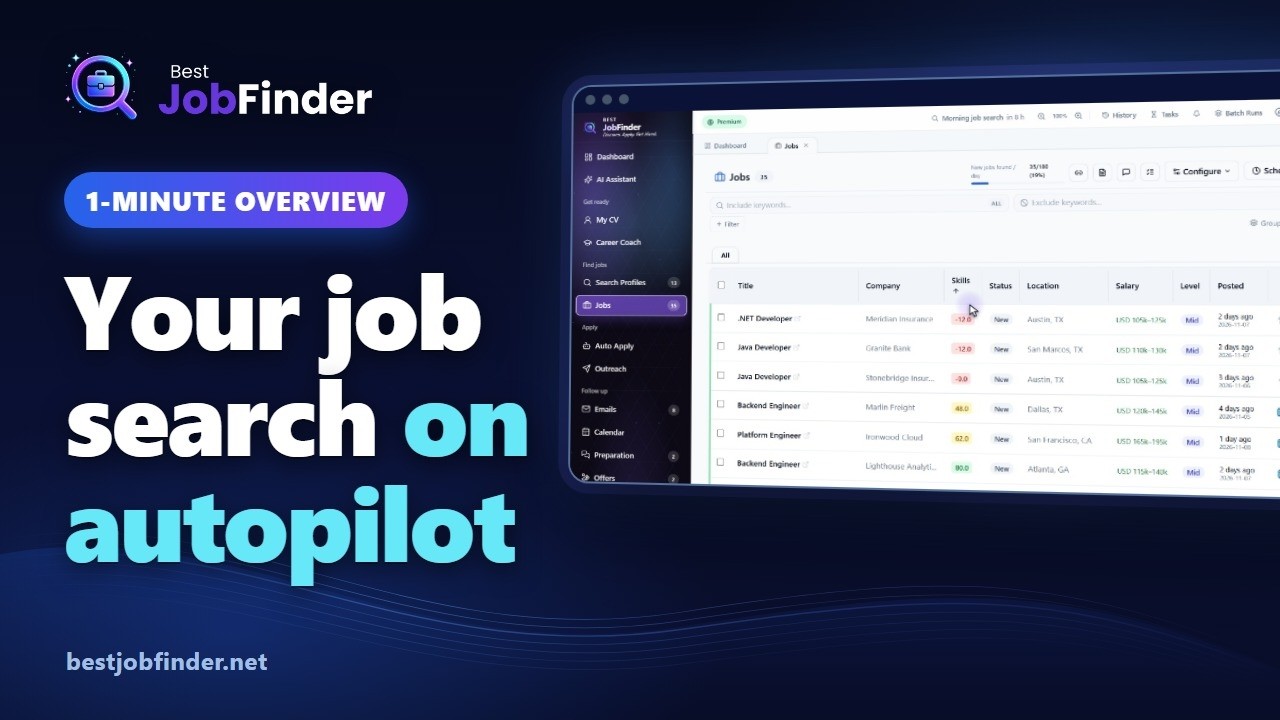
Filter and sort your jobs, then open one to tailor a CV and cover letter.
Tick the jobs you want and Auto Apply fills and sends each application.
Message the hiring team by email or LinkedIn, with a tailored CV attached.
Application emails are sorted and linked to their jobs automatically.
Turn the job description into a knowledge map, an exam and a study plan.
Set the role you are aiming for and get a roadmap, AI-graded exams and advice.
Import your CV from LinkedIn once, then send it to Dice, Monster, Indeed and Greenhouse.
Your whole journey is on one screen, from New to Offer.
A complete operating system for your job search — from discovery to offer.
LinkedIn, Indeed, Dice, Greenhouse, Wellfound and more — 20+ job boards, every job collected into one list.
Every job is scored against your skills, so the best fits rise to the top.
Applications on LinkedIn, Workday, Greenhouse and more, filled from answers you save once.
Follow every application from New to Offer and always know where you stand.
Build your CV once — importing your LinkedIn profile is the quickest way — then keep your LinkedIn, Dice, Monster, Indeed, Greenhouse and Levels.fyi profiles up to date — each board's own editor filled for you, in the desktop app.
Ask in plain English — it finds jobs, queues applications and charts your search.
Scores jobs and fills applications right on the job board, in Chrome, Edge and Firefox.
Searches run on a schedule, so fresh matching jobs are always waiting for you.
A learning roadmap, AI-graded exams and a study plan for the role you want next.
AI Resume & Cover Letter Generation
Paste a job description and Best JobFinder rewrites your resume and cover letter to match it — then lets you pick the template that fits the role. Click any template below to preview it full size.
Paste the job description
AI reads the requirements and the keywords the role is actually screening for.
AI tailors your content
Your resume and cover letter are rewritten around it — no generic boilerplate.
Pick a template
Choose the design that fits the role, download it, and it's ready for auto-apply.
The AI Assistant works with your own jobs, emails, CV and Auto Apply. Ask for your best matches, a chart of your pipeline or an inbox check — or tell it to apply — and it shows the result right in the chat.
No filters to build or menus to learn — say what you need and get a list, a number or a chart back.
Deleting, starting a run or changing many things at once always waits for your approval.
Fetch your emails, queue jobs and start Auto Apply from the same chat — then watch it run.
It scores each job you open and fills the application for you — or helps you fill it.
SearchNorthwind Labs is looking for a Senior Frontend Engineer to build the dashboards our customers live in every day. You will own features end to end in React and TypeScript, shape our GraphQL API with the platform team, and keep our Next.js app fast.
Hybrid from San Francisco, a small senior team, and real ownership of what ships.
 Best JobFinder Connected
Your skill match and key words appear on the post, and the job is saved.
Each answer shows its source — your CV, saved answers or AI. Pause anytime.
A tailored resume and cover letter in your template, attached once you approve.
Saved answers one click away on every field, and AI answers when you ask.
Watch how Best JobFinder automates your job search from scraping to auto-fill — in minutes.
20+ job sources in one search — and counting. Plus the application systems employers use, so a job that applies elsewhere still gets filled.
The big boards and the specialist ones
LinkedInIndeedDice Monster
 ZipRecruiter
 Wellfound
 Jobright
 Levels.fyi
 TheLadders
 JobLeads
 Workable
 Kariyer.net
Boards built for remote work
 We Work Remotely
 RemoteOK
 Himalayas
 Jobgether
 Twine
Straight from the employer
 GreenhouseMyGreenhouse
 Workday
Where a job leads when it applies on the company's own site
Any other employer application form works too — Best JobFinder reads the form's own labels and fills them from your CV and saved answers.
One account, every platform — your job search goes where you go.
The full engine, on your computer.
Download link available after you sign in
Sign Up to Get StartedYour whole pipeline, in the browser.
Help right on every job board.
One account — your jobs, CVs and answers stay in sync on all three.
You sign in to LinkedIn, Indeed and the other boards yourself. That session stays in your own browser or desktop app — we never ask for or keep your job-board passwords.
Your jobs, CVs and answers are kept in your Best JobFinder account on our servers, mainly in the EU, encrypted in transit and at rest. We never sell them, and you can export or delete them at any time.
Built for individuals. Each account only ever sees its own data.
The details: privacy policy · how automation and your accounts work
Choose the perfect plan for your job search needs
7-day free trial — no card needed
Get started with Best JobFinder
$0
Daily limits
Features
For active job seekers
$9.90/mo
Daily limits
Features
Maximum productivity
$19.90/mo
Daily limits
AI Assistant: included in the Free Trial (7 days) and Premium — not in Standard.
Ask it to find jobs, set up searches, queue auto-apply, or chart how your search is going. See what it can do →
Every limit and feature, side by side.
| Feature | Free Trial$0 | Standard$9.90/mo | Premium$19.90/mo |
|---|---|---|---|
| Daily limits | |||
| Job Search Profile Runs | 20/day | 25/day | 75/day |
| New Jobs per Day | 50/day | 60/day | 180/day |
| Email Checks | 50/day | 45/day | 150/day |
| Tailored Cover Letters | 10/day | 15/day | 45/day |
| Generated CVs | 10/day | 15/day | 45/day |
| Max Files | 10 max | 20 max | 60 max |
| Auto-Fill per Day | 10/day | 25/day | 75/day |
| Career Coach generations | 5/week (7-day trial) | Not included | 5/week |
| AI Assistant chats | 3/day | Not included | 10/day |
| AI Assistant messages | 15/day | Not included | 25/day |
| Features | |||
| Job Scraper | Included | Included | Included |
| Auto-Fill | Included | Included | Included |
| Chrome Extension | Included | Included | Included |
| Email Monitoring | Included | Included | Included |
| Job Scoring | Included | Included | Included |
| Tailored CV Generation | Included | Included | Included |
| Tailored Cover Letter | Included | Included | Included |
| File Storage | Included | Included | Included |
| Offer Management | Not included | Not included | Included |
| Career Coach | Included | Not included | Included |
| AI Assistant | Included | Not included | Included |
| Interview Preparations | Not included | Not included | Included |
| Notes | Not included | Not included | Included |
| Warning Patterns | Not included | Not included | Included |
| Calendar | Not included | Not included | Included |
| Dashboard | Not included | Not included | Included |
| Outcome Insights | Not included | Included | Included |
| Automations | Included | Included | Included |
All plans include essential features like job tracking, resume matching, and more.
Need a custom plan? Contact us
Everything you need to know about Best JobFinder.
Best JobFinder is an AI-powered job search automation tool, available as a web app (it works in phone browsers too), a browser extension for Chrome, Edge and Firefox, and a full-featured desktop app for Windows, macOS and Linux. It finds jobs on 20+ job boards for you, scores every listing against your skill profile, fills in application forms, can apply to the jobs you select, and tracks your whole pipeline — so you spend your time on interviews instead of paperwork.
You can try it free: a 7-day free trial starts when you sign up, with no credit card needed. After the trial you choose a paid plan — Standard is $14.90/month and Premium $29.90/month, or $9.90 and $19.90 a month billed annually. Paid plans raise the daily limits on job collection, auto-apply runs and AI features. The trial includes tailored CVs and cover letters. There is no permanent free plan, and prices are in US dollars; see the pricing page for the details.
20+ job boards and growing: LinkedIn, Indeed, Dice, Monster, ZipRecruiter, Wellfound, Jobright, Levels.fyi, TheLadders, JobLeads, Workable, Kariyer.net, We Work Remotely, RemoteOK, Himalayas, Jobgether, Twine, Greenhouse job boards, MyGreenhouse and Workday career sites. When a job applies on the employer's own site, it fills that form too — Ashby, Lever, JazzHR, SmartRecruiters, BambooHR, Recruitee, Teamtailor, Breezy HR, Personio, Jobvite, iCIMS and most other application forms.
Yes. Build your CV once — importing your LinkedIn profile is the quickest way — then sync it to your LinkedIn, Dice, Monster, Indeed, Greenhouse and Levels.fyi profiles in one run. The desktop app opens each board's own profile editor and fills it from your CV. You choose the boards and the sections, and whether each change waits for you to review and save or is saved automatically. Nothing on a board is ever deleted, an item already there is never added twice, and your CV file can be uploaded to the boards that keep one. Which boards you can sync depends on your plan.
Yes — with you always in control. It applies to the jobs you select — on LinkedIn Easy Apply, Indeed Apply, Dice, Monster, Wellfound, Workable, Greenhouse, Lever, Workday and JazzHR, and most other employer application forms — using your CV and the application answers it has learned from your own corrections. It works through them one at a time, with a wait you set between jobs. You can watch any run live, pause it, fix any field it filled in (your correction becomes the saved answer from then on), or skip or stop a job. Prefer to stay hands-on? Turn off auto-submit and it works as a copilot: it fills every field, and you review and click submit yourself. Sign-in checks and captchas are always left to you.
It can, and you should know that before you start. LinkedIn's User Agreement does not allow bots or other unauthorized automated methods, and LinkedIn's help pages say members who use automation tools risk having their accounts restricted. Best JobFinder does automate LinkedIn: it collects listings and fills — and, if you turn auto-submit on — sends Easy Apply applications in your own signed-in session, one at a time, with a wait you set between jobs. It stops for the day when LinkedIn says your Easy Apply limit is reached, and it leaves sign-in checks and captchas to you. That lowers the risk; it does not remove it, and no tool can promise that LinkedIn will not act. Fewer applications a day, longer waits and pressing Submit yourself keep it lowest.
The employer receives the application, not the tool: your answers and your CV arrive in their form the same way as if you had typed them. What can count against you is the content — a generic CV, an answer that does not fit the question, or applying to roles you clearly do not match. That is why Best JobFinder scores each job against your skills first, writes tailored CVs and cover letters from your own profile, lets you review every answer before it is sent (turn auto-submit off), and saves your corrections for next time. A question it cannot answer from your data is left for you.
Applying by hand costs your time, and nothing carries over to the next application. A DIY AI agent — a general-purpose AI that clicks through websites for you — can act, but it starts from scratch every session and charges for every step. Best JobFinder is built only for job search, and it keeps what it learns about you:
By hand, the price is your evenings. A DIY agent adds a subscription plus usage on every step, with no running total until the bill arrives. Best JobFinder is a flat monthly plan, and every daily limit has a live usage bar.
A general agent works out each job board's page from scratch every time, and its clicks can differ from run to run. Best JobFinder already knows 20+ job boards — their forms, steps and upload fields — and scores every job against your skills with one fixed formula, so the same job always gets the same score.
Search profiles collect new jobs on a schedule, Auto Apply works through a batch of jobs you select, and Outreach messages hiring teams by email or LinkedIn. Every run can be watched, paused, skipped or stopped. By hand all of that is you; an agent does one supervised task at a time.
Every answer you give an application form is saved and reused, and when you correct a field, your correction becomes the answer from then on. Your CV, skills and competencies inform every score, tailored CV and cover letter. An agent forgets between sessions unless you build that memory yourself.
Every job, status change, application, email and generated file is kept in your account with its full history — no spreadsheets, no lost tabs, no chat that resets. You can export all of it whenever you want.
One account across the web app, the desktop app and the browser extension, always in sync — start a run on your computer and check the results from any browser.
On every job page you open, the extension shows your skill match, highlights your skills in the description, offers your saved answers beside each form field, attaches your CV, warns when a posting is already closed, and marks the job Applied the moment you submit.
Syncs your LinkedIn profile into your CV, reads your email inbox to link recruiters' replies to the right job, and sends outreach from your own email address.
Job boards change their pages all the time. When one does, we update and test Best JobFinder for everyone — you never debug a broken script or rewrite a prompt. New boards and features arrive with each release, and our support team is there when something doesn't work.
Your data is private, and we never ask for your LinkedIn or job-board passwords: you sign in to each board yourself, and that session stays in your own browser or desktop app. Your jobs, CVs, cover letters, answers and application history are stored in your Best JobFinder account on our servers — mainly in the EU, encrypted in transit and at rest — so the web app, the desktop app and the extension all see the same data. Each account only ever sees its own data, and it is never sold. Passwords you choose to save — an employer career-site account under Accounts, or your mailbox for email sync — are kept encrypted. You can export or delete all of it from Settings at any time.
The web app runs in any browser, phones included, and holds your pipeline, scheduling, tracking, email sync and AI scoring. The browser extension (Chrome, Edge and Firefox) works on job sites as you browse them — skill match, highlights and form filling right on the page. The desktop app for Windows, macOS and Linux has the fullest feature set, including its own built-in browser that finds and applies to jobs on its own. All three work together from one account and read the same data — sign up to get the desktop download link.
Because the desktop app can do more. It runs on your own computer and has full control over the browser windows it opens, so it can search job boards on a schedule, apply to jobs in its own built-in browser, stay signed in to each board, and keep working on long tasks without a browser tab left open. A web app lives inside a browser tab, and browsers deliberately limit what a web page can do: it cannot open or control other websites, so on its own it cannot browse job boards or fill in their forms. The web app is still the full product for your pipeline, CV and AI tools — for automation it relies on the browser extension.
For two reasons — use it for either one, or both:
A web page cannot drive other websites, so the extension does that work for the web app, in your browser: automatic job discovery on job boards, auto-apply to the jobs you pick, and syncing your LinkedIn profile. You need it when you use the web app without the desktop app — the desktop app does all of this itself.
Whether or not you use the web app's automation — and alongside the desktop app — it helps on every job page you open by hand: a value picker beside every form field with your saved answers, file pickers that attach your CV or cover letter, AI-written answers to new questions, and a tailored CV or cover letter for the job in front of you, generated on demand.
Each job's required skills are extracted and compared with your skill profile. Every skill has a weight (1–10) and your competency (0–100%). The score is the weighted sum divided by the maximum weight, minus a penalty for each missing skill. It is one fixed formula, not an AI guess, so the same job and the same profile always give the same score. A score over 80 means strong alignment.
From the Blog
Guides, comparisons, and tips for automating your job hunt without burning out.
 Resume Tips
An applicant tracking system parses, stores and lets a recruiter search. It rarely rejects anyone on its own. What really happens to your resume after Submit, and the handful of formatting and wording rules that matter.
 Resume Tips
Keep one master resume with every bullet you have ever earned, then cut a job-specific version in four timed steps. A repeatable method, a before/after bullet, and a way to version the whole thing like code.
 Resume Tips
Most cover letters fail the one-sentence test: could this be sent to any other company? When a letter changes the outcome, when it is wasted effort, a 250-word structure with word budgets, and how to use AI for the draft without sounding like AI.
 How-To Guides
A posting is created in the company's ATS before it reaches LinkedIn, and reaches LinkedIn before the aggregators. The public Greenhouse and Lever endpoints, the search operators and the daily routine that put you in the first batch of applicants.
 How-To Guides
Application forms ask three kinds of questions: knockouts that reject automatically, numeric and choice fields that recruiters filter on, and free-text questions a human reads first. Each needs a different answer strategy, and all of them need an answer bank.